Billing and plans
This page explains the free trial, what the plan costs, and how to choose, change or cancel it.
What it costs
- Base plan: $149 a month. It includes your first provider on commission.
- Each additional dentist on commission: $49 a month.
- Each hygienist on commission: $19 a month.
- Yearly: two months of the base plan free, every year.
For example, one dentist and three hygienists cost $206 a month. Providers who are archived, or paid outside Chairside, don't count.
Free trial: for 30 days you can check one past pay period and run your first live pay period. Pay shows as previews. Downloads and payroll files need a plan.
Steps
- Click Billing in the top menu. Only the owner can choose the plan, unless the owner lets admins do it.
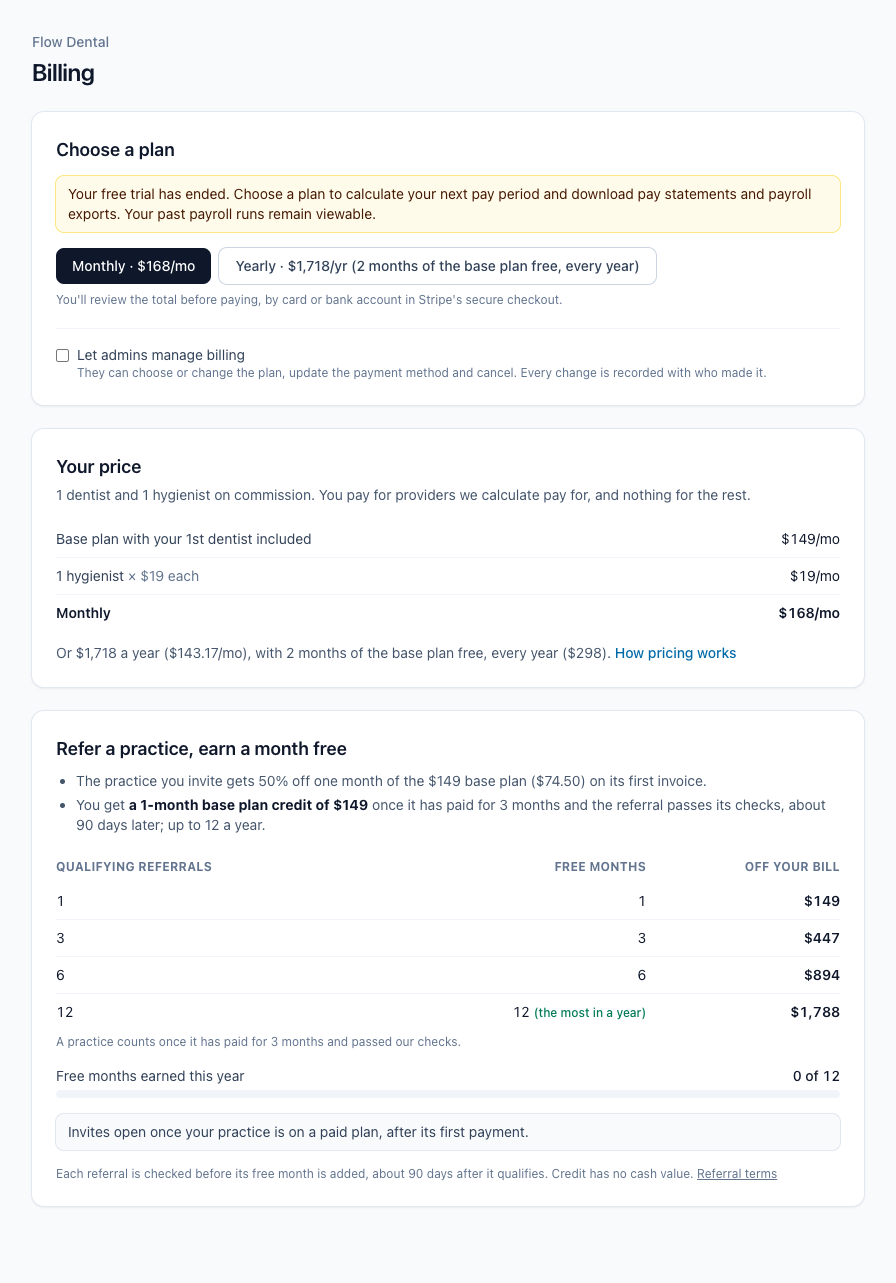
- Click Monthly or Yearly. Each button shows its price for your providers.

- Check the total, line by line.
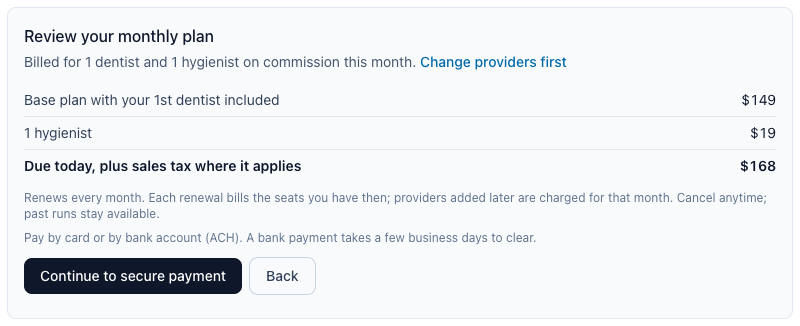
- Click Continue to secure payment.
- Pay by card or bank account (ACH) in Stripe's secure checkout. For a yearly plan, a bank account is best because it doesn't expire. A bank payment takes a few business days to clear.
Stripe's checkout (not pictured): it opens inside the Billing page. Enter your card or bank account there, then confirm.
- To change how you pay, click Update payment method.
- To change where receipts go, type it under Billing email and click Save. A shared address like billing@ keeps receipts coming if someone leaves.
- To change plans, click Switch to yearly (then Switch to yearly now) or Change to monthly (then Change to monthly at renewal).
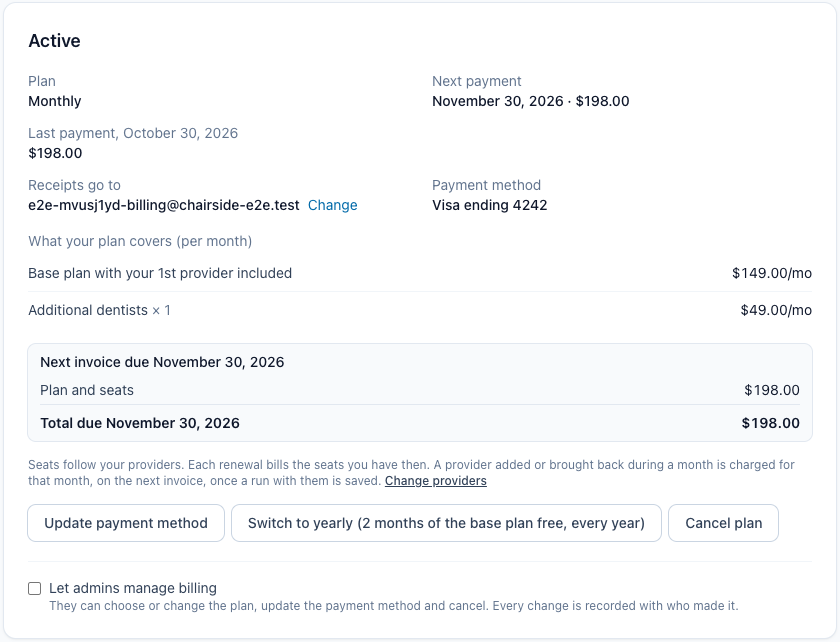
- Owners: to let admins manage billing, tick Let admins manage billing.
- To cancel, click Cancel plan. You can tell us why and see any offers. Then click Cancel plan again, or Keep my plan.
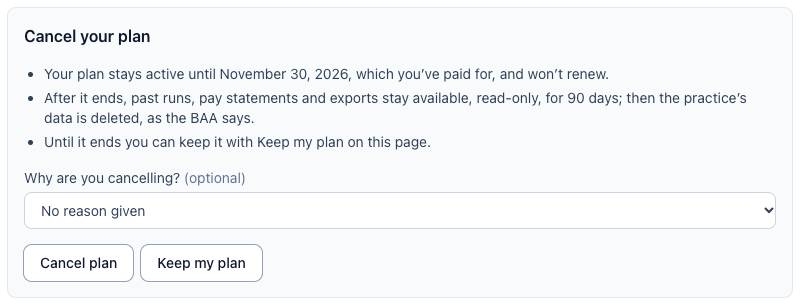
After you cancel, your plan stays active until the end of the period you paid for. Then you have 90 days of read-only access to download your records (see "Pay statements and the payroll file"). After that, your practice's data is deleted.
Within 30 days of your first yearly payment, the cancel screen also offers to end today with a refund, less one month at the monthly price.
If something's wrong
- It says only the practice owner can choose the plan. Ask your owner to choose it, or to tick Let admins manage billing.
- A payment failed. We email the billing contacts. You have 5 days to fix it with Update payment method. After that, new pay periods pause and the account becomes view-only until it's paid.
- The button says "Payments open at launch." Plans can't be bought yet. To keep using Chairside Payroll until then, ask us in Support.